

To summarize a long document with AI, upload the file to an AI chat assistant that can read documents, tell it exactly what kind of summary you want (length, audience, focus), then ask follow-up questions about the parts that matter to you and have it quote the lines its answers come from. In SmileToAI Chat that is three steps:
- Select + (Add attachments) in the composer, choose Upload files, and pick your PDF or Word file.
- Type the summary you need, for example "Summarize this in about 150 words for a beginner, then list the five rules that matter most," and send it.
- Ask follow-up questions in the same chat, and ask for quotes so you can check the answer against the source.
We ran exactly that on a 9-page, roughly 3,100-word PDF, a home-composting handbook we wrote as a sample for this guide. Chat returned a summary of about 120 words and five bullet-point rules, then answered a follow-up with the exact table row it came from and its page number. The summary used 15 Sparks and the follow-up 5, SmileToAI's usage credits, so a run like this fits easily in the free plan's 5,000 Sparks a month.
The rest of this guide walks through that run with screenshots of every step, then covers what to do when a document is too long for one pass and how to check a summary before you rely on it.
What you'll need
- The document, as a .pdf, .docx, .txt, .md or .rtf file. Those are the document formats SmileToAI Chat accepts.
- A SmileToAI account. Chat works on the web and in the iOS and Android apps; the screenshots below are from the web app.
- A clear purpose. What do you need from this document: the gist, the decisions, the numbers, the risks? Your goal shapes the request.
- The source itself, so you can spot-check anything important.
Step 1: Attach the document
Open Chat and select the + button at the left of the composer. The menu offers Upload files for a file on your computer and Pick from Assets for a file already in your SmileToAI library.
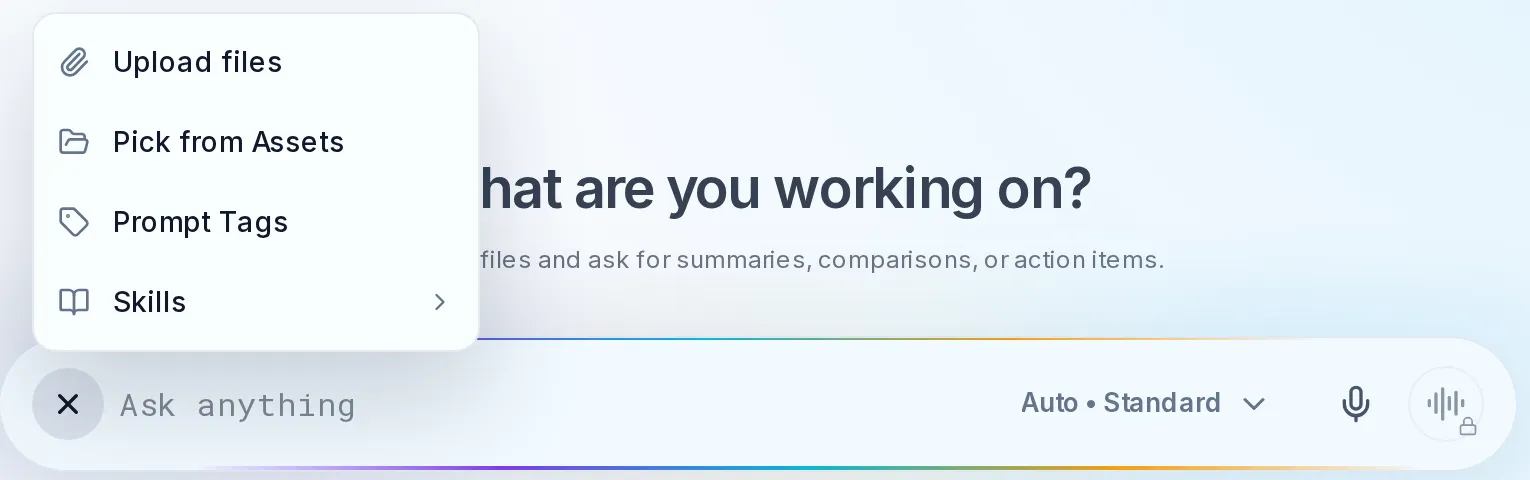
The + menu in the Chat composer. Upload files takes a file from your device; Pick from Assets reuses one you have already uploaded.
Before you upload, make sure the text is readable. A Word file, a text file, or a PDF whose text you can highlight is ready to go. A scanned PDF is a picture of the pages, not text, so run OCR on it first and check that names and numbers came through cleanly, because errors in the input flow straight into the summary.
Step 2: Ask for the summary you need
"Summarize this" is a blunt instrument. There are many useful summaries of the same document, and the AI cannot guess which one you want. State the length, the audience, and the focus in the same message as the file. For the handbook we typed:
Summarize this handbook in about 150 words for someone setting up their first compost bin. Then list the five rules that matter most, as bullets.
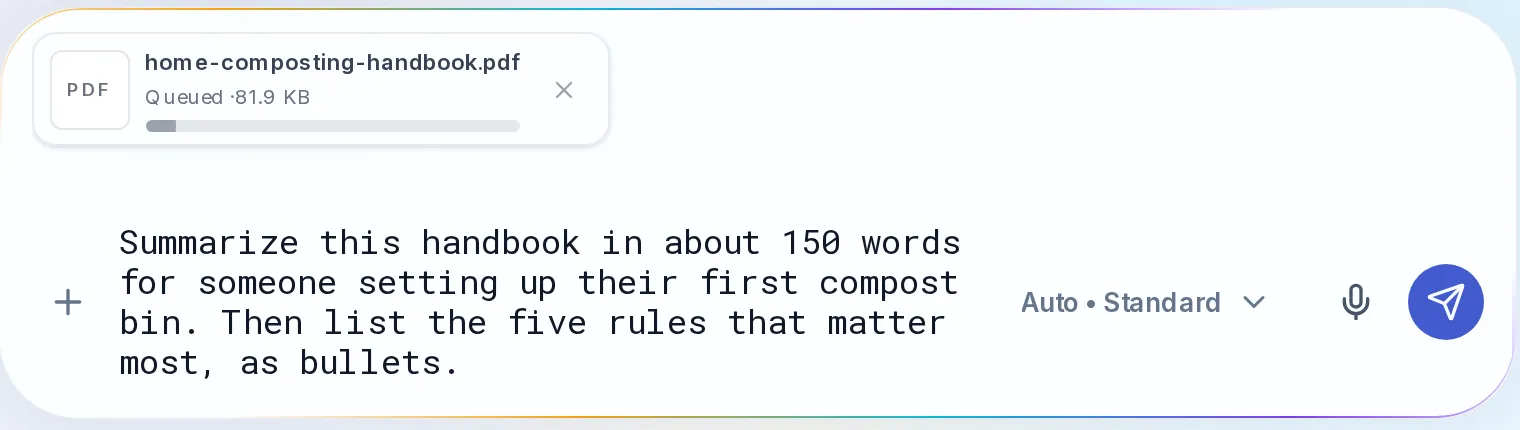
The PDF sits on the message as an attachment while you type the request. It is sent with the message.
Send it. Chat reads the attachment and answers in the conversation. Here is the real reply to that message: a summary that walks through the handbook's sections in order, from why to compost to the twelve-week starter plan.
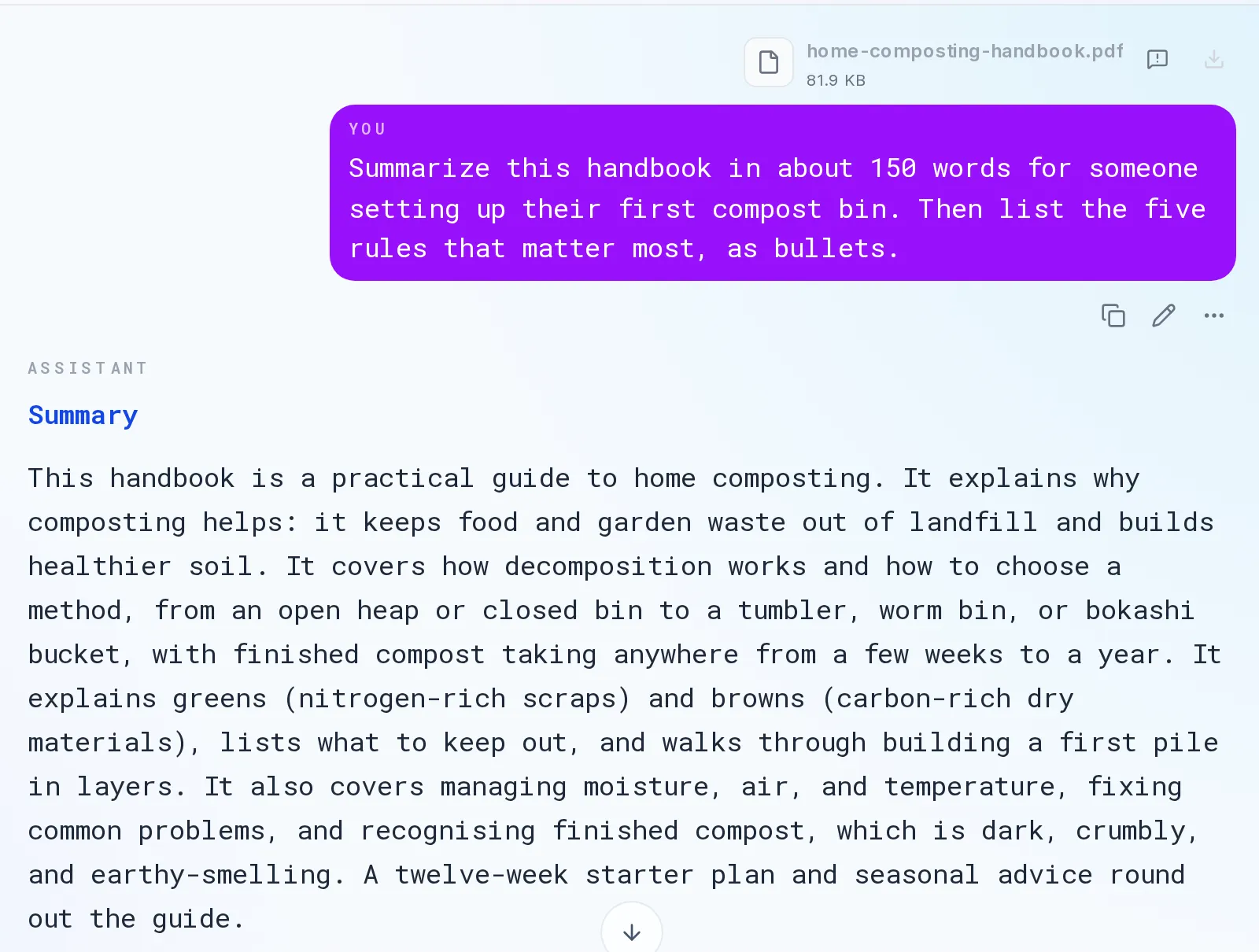
The first answer: a summary sized for a beginner. This message used 15 Sparks on the default Auto • Standard setting.
Below the summary, the reply listed the five rules we asked for: balance greens and browns (about two to three parts browns to one part greens by volume), keep the pile as moist as a wrung-out sponge, give it air, bury fresh scraps under browns, and keep out meat, dairy, oil, pet waste and diseased plants. Each one matches a section of the handbook.
Match the request to your goal. A few formats worth knowing:
- A short abstract for the gist: "Summarize this in three sentences."
- Key points for skimming: "List the eight most important points as bullets."
- An executive summary for a decision: "Summarize this for a manager in 200 words: the findings, the risks, and what we need to decide."
- An extraction when you need exact figures: "List every number in this report, grouped by topic, with the sentence it comes from."
You can also set how answers come back for the whole chat. Select Options at the top right of Chat to open the options panel: Response detail (Concise, Balanced or Detailed) and Response format (Plain text, Structured or Step by step) change every reply, so you do not have to repeat "keep it short" in each message.
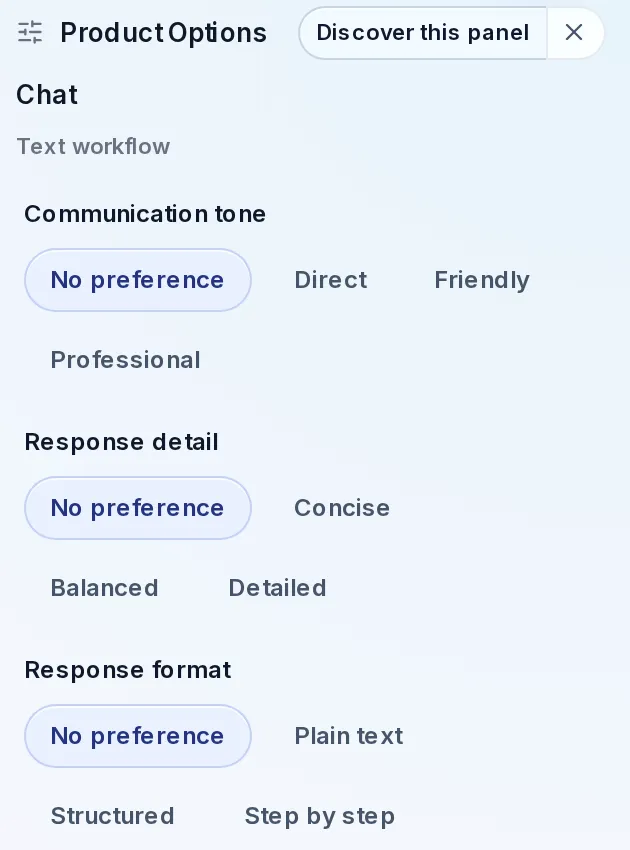
The Options panel. Response detail and Response format apply to the chat's replies until you change them.
Step 3: Ask follow-up questions, and ask for quotes
The real advantage of summarizing in a chat is the conversation afterwards. The document stays attached to the chat, so you can drill from the overview down to the exact detail without re-reading the source yourself. We asked:
What does the handbook say to do if the pile smells of rotten eggs? Quote the line your answer comes from.
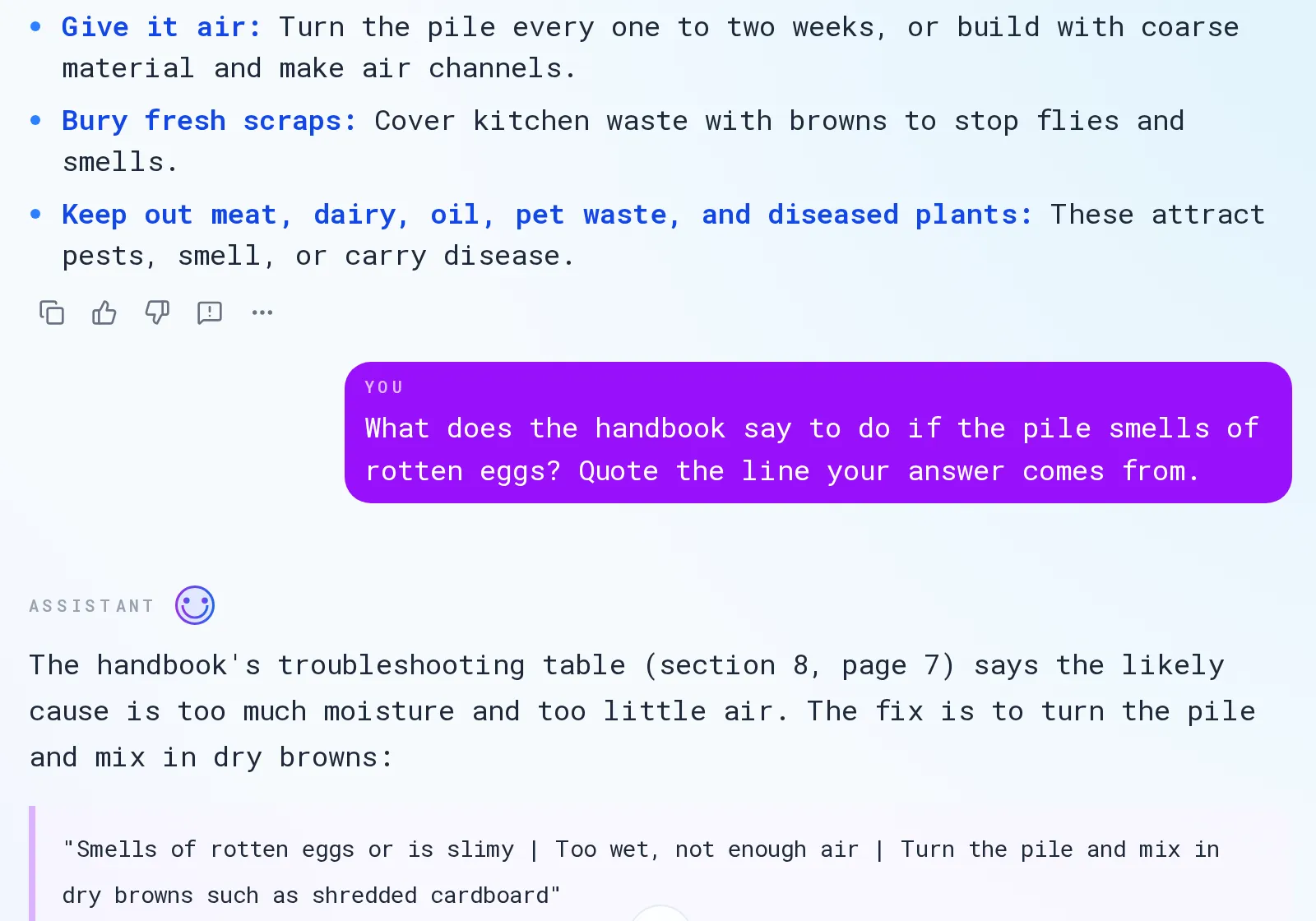
The follow-up answer names the section and page and quotes the table row. This message used 5 Sparks.
The answer pointed to the troubleshooting table in section 8, quoted its row word for word, and added the line from section 7 that explains why the smell appears. We checked: the table is on page 7 of the PDF. Asking for the quote is what makes the answer checkable.
Good follow-ups for a work document:
- "What did the report say specifically about the European market?"
- "List every risk mentioned, and note which ones it calls most urgent."
- "What assumptions sit behind the revenue forecast? Quote them."
- "What is the strongest counterargument the document raises to its own conclusion?"
If you are using the material to write something new, this is where a summary becomes an input; our guide on writing blog posts with an AI chat assistant shows how distilled key points feed into a draft.
When the document is too long for one pass
A 9-page handbook fits easily. A whole book, a year of meeting notes, or a huge filing may not: every model has a limit on how much text it can consider at once, and the file size a model accepts varies by provider. In SmileToAI Chat, a message estimated at more than 5,000 Sparks, which usually means a very large attachment, stops and asks you to confirm an "up to" figure before it runs, and only what the message actually uses is charged.
For documents beyond what one pass handles well, summarize in layers:
- Split the document into logical sections, such as chapters or parts.
- Summarize each section, and ask each summary to keep every number, name, date and recommendation, not just the general gist.
- Summarize the summaries. Paste the section summaries into one message and ask for a single synthesis of the whole.
The same layered method works for several documents at once: summarize each, then ask for a comparison that surfaces common themes and contradictions. It is more accurate than one giant paste because each part gets real attention, and keeping the specifics in step 2 stops the final synthesis from dissolving into generalities.
Check the summary before you rely on it
A summary is a compression, and compression loses information, sometimes the wrong information. Before you make a decision or forward it on:
- Spot-check the key claims. Pick the two or three points that matter most and find them in the source.
- Watch for dropped caveats. AI summaries tend to firm up hedged statements: "early results suggest" can become "results show."
- Ask for quotes and page numbers, as in step 3, then look them up. A real quote is quick to verify; a vague paraphrase is not.
For low-stakes reading, a quick check is enough. For anything legal, medical, financial or contractual, treat the summary as a fast orientation, not a substitute for reading the sections that bind you.
Common mistakes to avoid
- Uploading unreadable text. A scan without OCR, or a file full of copy-paste junk, gives a garbled summary.
- Vague requests. "Summarize this" wastes the tool. State the length, the audience and the focus.
- Cramming a huge document into one message. Split it and summarize in layers.
- Trusting it blindly on high-stakes material. Ask for quotes and check what matters.
- Stopping at the summary. The follow-up questions are where most of the value is.
Wrapping up
Summarizing a long document with AI comes down to three moves: attach the file, ask for the specific summary you need, and question the document until you have what you came for, with quotes you can check. In our run, a 9-page PDF became a 120-word summary, five rules, and a sourced answer to a specific question, for 20 Sparks in total.
To try it, open SmileToAI Chat and attach a document. If you would rather listen to a document than read it, How to Turn a PDF Into an Audiobook shows how Voice Studio reads one aloud, and How to Turn a PDF Into a Podcast With AI turns one into a two-host conversation.
FAQ
How long a document can AI summarize at once?
It depends on the model's context window, the amount of text it can consider in one pass, and on the file size each model accepts, which varies by provider. Modern long-context models handle most reports and articles in one go. In SmileToAI Chat, a message estimated at more than 5,000 Sparks, which usually means a very large attachment, asks you to confirm an "up to" figure before it runs, and only what the message actually uses is charged. For a whole book, split it into sections, summarize each, then summarize the summaries.
Are AI summaries accurate, or do they make things up?
Summaries of text you provide are generally reliable because the model is condensing the content you gave it, not recalling from memory. The main risks are subtle: it may overstate a tentative finding, drop an important caveat, or blur a nuance. Ask the AI to quote the line each key point comes from, and for anything legal, medical or financial, treat the summary as a fast first read and check the key claims against the source.
Can AI summarize a PDF or a Word file?
Yes. SmileToAI Chat accepts documents as .pdf, .docx, .txt, .md and .rtf files: attach the file with Upload files or Pick from Assets, then ask for the summary. A PDF with selectable text works directly. A scanned PDF is a picture of the pages, so run it through OCR first, and ask the AI to quote the opening paragraph to check it can read the text before you rely on the summary.
What's the best way to summarize multiple documents at once?
Summarize each document on its own first, then give the AI the individual summaries and ask for one synthesis that highlights common themes, differences, and conflicts. This layered approach is more accurate than pasting everything at once, and it lets you compare sources, which helps with research, competitive analysis, or literature reviews.