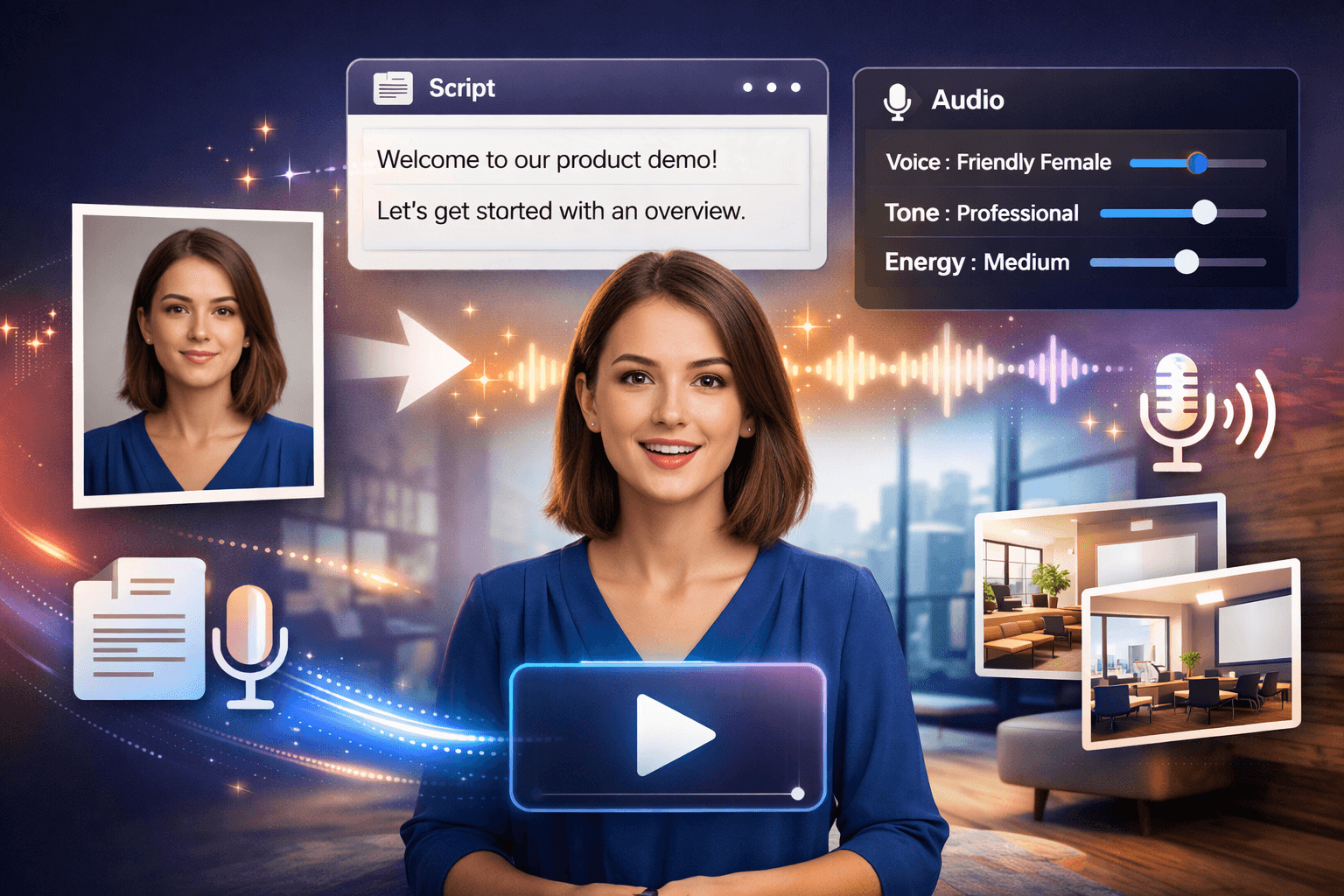
Speaking Head Video
Make a character speak your words without filming. Pick a character from Elements, add speech from Voice Studio, an audio file or a recording of up to a minute, and get a video of that face speaking it, lip-synced from one of its photos. Choose vertical, square or widescreen and 720p or 1080p. A face is used only after the person in it records consent on camera, and every video carries a visible AI mark and content credentials.
Key Features
- One photo, no filming: a character's reference photo becomes the speaking face of the video.
- Your script, spoken: use a Voice Studio narration, upload an audio file or record up to a minute.
- Consent first: a face is used only after its owner records consent on camera, and public figures are refused.
- Ready to post: 720p or 1080p in 9:16, 1:1 or 16:9, with a visible AI mark and content credentials.
Related Products
What you'll create
Founders recording updates
Write the weekly update in Voice Studio and turn it into a talking clip of your own face, without setting up a camera each time.
Teams making onboarding clips
A colleague records consent once. After that, make welcome and how-to clips of them speaking a narration whenever the process changes.
Educators building explainers
Keep one presenter across a whole series: script each lesson in Voice Studio and make its talking video, with no filming per module.
Creators making short-form posts
Make vertical talking clips for Reels, Shorts and TikTok from a portrait and a voiceover, then build on them in AI Video Creator.
How it works
- 1
Add a character with consent
Add a character with a few clear photos in Elements. The person in them records a short consent video on camera, from a link you send or on your own device if it is you.
- 2
Pick the speech
Use a narration from Voice Studio, upload an audio file or record one. The video is as long as the speech, up to one minute.
- 3
Choose the look and make it
Pick the photo to animate, vertical, square or widescreen, and 720p or 1080p. You see the price in Sparks before you confirm.
Frequently asked questions
- Do I need to film anything to make a speaking head video?
- No. The video is made from one of the character's photos and your speech. The only recording is the short consent video the person in the photos gives once.
- Can I make a talking video of anyone?
- No. A face is used only after that person records consent on camera, and videos of public figures are refused. To use your own face, you record your own consent once.
- Can I change the words without starting over?
- Yes. Edit the script in Voice Studio, render the narration again and make a new talking video from it. The character and its consent stay in Elements.
- Which plans include talking videos?
- Talking videos are on the paid plans and spend Sparks for each second of speech. The price shows before you confirm, and a refused video costs nothing.
- How can viewers tell the video was made with AI?
- Every talking video carries a visible AI mark and signed content credentials that say it was made with AI. You can turn the mark off only on videos of your own face.